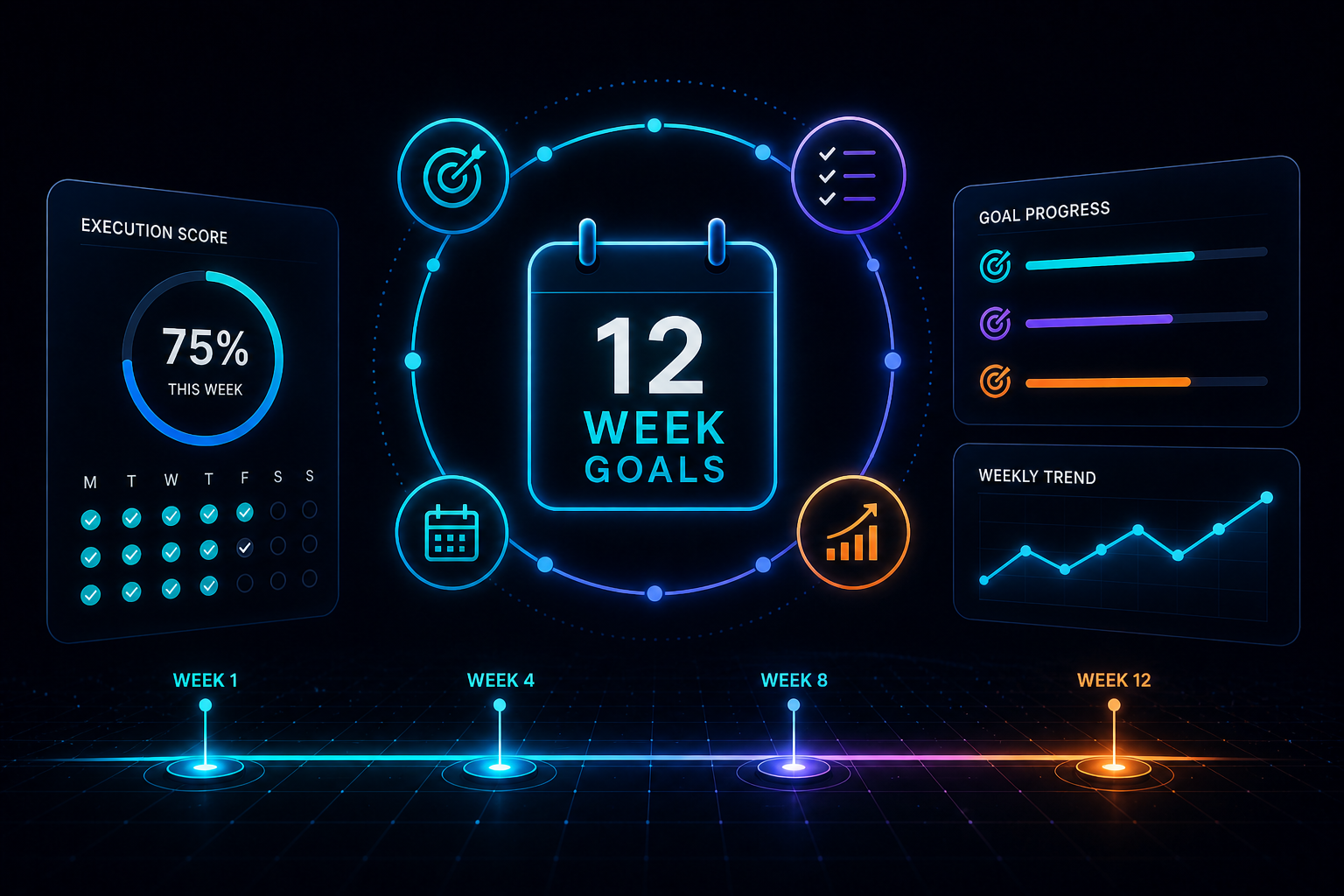
I built 12-Week Goals as a small, focused web application for planning and tracking goals across 12-week cycles.
The idea came from The 12 Week Year, a book that challenges the way we normally think about yearly planning. Instead of setting goals across 12 months and hoping motivation survives the whole year, the system compresses the planning horizon into 12 weeks. That shorter window creates urgency, makes drift easier to spot, and gives you more opportunities to adjust before the whole thing quietly disappears into good intentions.
That last part mattered to me because I had started noticing the same goals appearing in my journals year after year. Courses, projects, activities, personal objectives. Many of them started with energy, then slowly lost momentum.
I first tried solving the problem with Notion, which is usually my default place for organising almost everything. I created pages, databases, dashboards, and views. It looked good, but it became too flexible for what I needed. My goal system was sitting next to my notes, project planning, learning material, and general reference database. It was easy to lose sight of the actual execution.
So I decided to build a dedicated app with a much narrower purpose: help users define a 12-week cycle, set a small number of goals, create weekly commitments, track daily execution, and review progress with a simple execution score.
The result was 12-Week Goals, a full-stack web app built with Next.js, TypeScript, Supabase, Supabase Auth, Postgres with Row Level Security, Tailwind CSS, and Zod.
The product idea
The first version of the app was intentionally small in scope.
I wanted to build a tool that could support the basic 12-week workflow without turning into a general productivity platform. The core structure was:
- A user creates a 12-week cycle
- The cycle contains 1 to 3 outcome-based goals
- Each goal has success criteria
- Weekly commitments are linked to those goals
- Daily execution is tracked against those commitments
- Weekly reviews help users reflect and adjust
- An execution score shows whether the user is actually following through
The app is built around the idea that progress should be visible before it becomes a vague feeling.
That is where the execution score became important. It gives the user a weekly percentage based on what they committed to and what they completed. It is simple, but that simplicity is useful. Instead of asking, “Did I have a productive week?”, the app helps answer a better question: “Did I do the things I said I would do?”
That distinction shaped a lot of the product decisions.
I was not trying to build a task manager, habit tracker, or second brain. The app needed to stay closer to an execution feedback system. Goals, commitments, daily actions, weekly review, score. Anything that did not support that loop had to earn its place.
The technical stack
I chose a stack that would let me move quickly while still giving me enough structure to build something production ready.
The app was built with:
- Next.js
- App Router
- TypeScript
- Supabase
- Postgres
- Row Level Security
- Supabase Auth
- Tailwind CSS
- Zod
I picked Next.js because it is the framework I am most comfortable with and because it gives me a productive way to build full-stack applications. The App Router works well for structuring pages, layouts, server interactions, and authenticated user flows.
For a project like this, where the user needs to move between cycles, goals, commitments, daily tracking, and reviews, having a clear routing and layout model helped keep the app organised.
TypeScript was essential. The app has several related entities, and once you start connecting cycles, goals, weekly commitments, daily execution records, and review data, loose typing can quickly become painful. Static typing helped reduce mistakes and made refactoring safer.
It also helped when working with AI coding tools. Types give the AI more context about the shape of the application, the expected data structures, and the relationships between different parts of the system. In an AI-assisted workflow, TypeScript becomes more than a safety net. It becomes part of the communication layer.
For the backend, I used Supabase, mostly because I was already familiar with it and it gave me the pieces I needed in one place: Postgres, authentication, and Row Level Security.
Supabase was a good fit for the first version because I could model the data relationally, protect user data at the database level, and avoid spending too much time building backend infrastructure from scratch.
Modelling the data
The data model was one of the most important parts of the project.
At a high level, the app needed to represent:
- Users
- 12-week cycles
- Goals
- Success criteria
- Weekly commitments
- Daily execution entries
- Mood and energy entries
- Daily notes
- Weekly reviews
The challenge was not only storing this data, but making sure the relationships made sense across time.
A goal belongs to a cycle. A commitment belongs to a goal and usually applies to a specific week. A daily execution entry needs to know which commitment was completed, on which day, and by which user. Weekly reviews need to summarise what happened during a specific week of a specific cycle.
This created a few interesting technical problems.
For example, the app needed to calculate where the user currently is inside a cycle. That sounds simple until you start thinking through edge cases:
- What happens before the cycle starts?
- What happens after the cycle ends?
- How do you calculate the current week?
- How do you show previous weeks?
- How do you prevent users from tracking against the wrong cycle?
- How do you calculate weekly execution percentages?
- How do you calculate rolling averages?
- How do you handle empty states when the user has created goals but no commitments yet?
The cycle tracking became one of the most complex parts of the app because it sits at the centre of everything else.
From the user’s perspective, they just need to know what week they are in and what actions matter today. From the technical side, that simple experience depends on a consistent relationship between dates, cycles, goals, commitments, daily records, and calculated scores.
Authentication and user-specific data
The first feature I built was authentication.
That may not sound exciting, but it was an important decision. I wanted the app to behave like a real product from the start, not just a local prototype. Each user needed their own private cycles, goals, commitments, execution history, notes, and reviews.
I used Supabase Auth for sign-up and login. The implementation was not extremely difficult, but it still took time to connect all the moving parts properly and make sure the authenticated state worked across the app.
Because the app deals with personal goals and reflections, user data isolation was essential. I spent time understanding and implementing Row Level Security properly so users could only access their own data.
That meant policies had to be written carefully across the main tables. It is very easy to treat RLS as a checkbox feature, but for this kind of app it is central to the architecture. The database should not rely only on frontend logic to protect user data.
The goal was simple: even if someone tried to query records directly, the database policies should prevent them from reading or modifying data that does not belong to them.
Validation with Zod
I used Zod for validation because I wanted another layer of confidence between the UI, the server logic, and the database.
TypeScript helps during development, but runtime validation is still important when dealing with user input. Forms for goals, commitments, cycle creation, and reviews need clear validation rules.
Zod helped make those rules explicit.
It also improved the AI-assisted development workflow. When schemas are clear, AI tools have a better chance of understanding the expected shape of the data. That is especially helpful when generating form logic, server actions, or refactoring existing flows.
For me, Zod and TypeScript worked together as a way of reducing ambiguity. And reducing ambiguity is one of the most useful things you can do when building with AI.
UI implementation and product design
The UI took much longer than I expected.
I thought it would be the straightforward part of the project, especially with Tailwind CSS and AI assistance. In practice, the UI became one of the areas where I had to spend the most time polishing.
AI tools were useful for generating components quickly, but they struggled with consistency. A component might look fine on its own, but once it sits inside a real application with multiple states, screen sizes, empty states, loading states, and user flows, the rough edges become obvious.
Some of the UI challenges included:
- Keeping the dashboard clear without making it feel empty
- Showing cycle progress in a way that was easy to understand
- Making daily execution fast to update
- Presenting execution scores without making them feel judgemental
- Handling empty states for new users
- Designing weekly review screens that felt useful rather than heavy
- Making the landing page explain the product clearly without relying only on screenshots
The daily tracking experience was particularly important. If the app is meant to support execution, checking off an action should feel quick. This is why I cared about making the interaction feel fast and lightweight.
A productivity app can fail simply because the daily action takes too much effort. If users need to fight the interface every day, the tool becomes part of the problem.
Execution score and calculated progress
The execution score is the core mechanism of the app.
It represents how much of the planned work was actually completed during a week. The target is inspired by the 12-week system, where 85% execution is generally considered a strong benchmark.
Technically, this meant the app needed to compare planned commitments against completed execution records.
A simplified version of the logic looks like this:
- Get the commitments planned for the week
- Get the completed execution records for those commitments
- Calculate the percentage completed
- Store or display the weekly score
- Use weekly scores to show trends over time
The rolling average adds another layer because one bad week should not necessarily define the whole cycle, but repeated low execution should become visible.
This is one of the reasons I wanted the app to feel more like a feedback system than a task list. The execution score turns scattered actions into a signal.
You can see whether the system is working.
You can see whether the commitments are realistic.
You can see whether the goal still has traction.
And because this is connected to weekly reviews, the user has a natural moment to adjust rather than silently drift.
Mood, energy, and daily notes
I included mood, energy, and daily notes because execution does not happen in a vacuum.
A low execution score by itself tells you something, but it does not tell the whole story. If you also know that your energy was low for most of the week, or that your notes mention unexpected work pressure, the score becomes easier to interpret.
The goal was not to turn the app into a wellness tracker. It was to give users enough context to make better decisions.
For example:
- If execution is low but energy is also low, the commitments might need to be reduced
- If execution is low but energy is high, the goal might not be clear or compelling enough
- If execution drops every Friday, the weekly plan might be poorly distributed
- If notes show repeated blockers, the issue might be the environment rather than the goal
From a product perspective, this makes the app more useful. From a technical perspective, it means execution data can eventually become richer and more interesting.
If I add AI-assisted reviews in the future, mood, energy, notes, commitments, and execution scores could provide useful context for personalised suggestions.
AI-assisted development
AI played a major role in the project.
I used:
- Claude Code
- Cursor
- Codex
- ChatGPT
The most useful area was coding. AI helped me move much faster than I would have moved alone, especially when the task was specific and well-defined.
It helped with:
- Implementing components
- Refactoring existing code
- Debugging issues
- Writing validation logic
- Improving copy
- Exploring UI options
- Thinking through product flows
The amount of code in the app is quite large compared with the time I spent building it, especially considering it was mostly done in my spare time.
But the project also made the limitations of AI very clear.
AI was helpful when I gave it a narrow task. It was less reliable when the task required broader product judgement, visual consistency, or connecting several moving pieces across the stack.
UI was the clearest example. AI could generate a component quickly, but it often needed human direction to make the interface feel coherent. It could produce something that technically worked while still missing the product feel I wanted.
I also noticed that AI can make scope creep easier. Because implementation feels cheaper, it becomes tempting to keep adding more features. A small app can quickly become more ambitious simply because the next thing feels possible.
To stay organised, I kept a small Kanban board in Notion. It gave me just enough project structure without turning the development process into another overengineered system.
The biggest lesson was that AI works best when the developer remains firmly in control of direction, constraints, and quality.
AI can accelerate execution, but it cannot replace product judgement.
What I would do differently now
Looking back, there are a few things I would approach differently.
First, I would spend more time writing specifications before building. When working with AI agents, clear specs are extremely valuable. They reduce ambiguity, improve implementation quality, and make it easier to review whether the generated code matches the intended behaviour.
Second, I would use a more formal AI-assisted development workflow. At the time, my process was useful but still quite improvised. Since then, I have become more interested in structured workflows with better planning, clearer task decomposition, and stronger review points.
Third, I would seriously consider using Convex instead of Supabase for this type of project. Supabase worked well, but Convex seems very well suited to the kind of reactive, product-focused applications I like building. I may still migrate the backend in the future.
Finally, I would treat the UI as a major part of the project from the beginning rather than assuming it would be easy to tidy up later.
Visual bugs and UX inconsistencies have a way of compounding. The earlier they are addressed, the better.
The landing page as a technical and product challenge
After launching the app, I rebuilt the landing page.
This part was more interesting than I expected because it combined product messaging, UI implementation, and technical presentation.
I did not want the landing page to simply list features. I wanted it to explain the mechanism of the product:
- Define a 12-week cycle
- Set a small number of goals
- Create weekly commitments
- Track execution daily
- Review weekly
- Use the execution score to adjust
The copy also mattered. One of the things I learned from this project is that explaining a product clearly is its own discipline. A feature list is rarely enough. The page needs to help users understand the problem, the mechanism, and the outcome.
In this case, the message became clearer once I started thinking of 12-Week Goals as an execution feedback system.
That framing helped connect the technical implementation with the product purpose.
To achieve all of this, I used a ChatGPT custom project specialised in building landing pages. I had loaded it with selected resources about landing page structure, positioning, messaging, and conversion-focused copy, then used it to run a deep interview process about what the app was really about. That helped me move beyond describing features and forced me to clarify the product from different angles: the problem, the user’s frustration, the mechanism, the desired outcome, and why this needed to exist as a dedicated tool rather than another Notion template. In a way, the landing page became its own product discovery exercise, with AI acting less like a copy generator and more like a structured thinking partner.
What this project demonstrates
From the outside, 12-Week Goals may look like a small productivity app.
From my perspective, it was a complete product-building exercise.
It included:
- Identifying a personal problem
- Turning that problem into a product concept
- Designing a focused workflow
- Building a full-stack application
- Implementing authentication
- Modelling relational data
- Protecting user data with Row Level Security
- Creating a responsive UI
- Using validation to reduce bugs
- Deploying a real product
- Writing a landing page
- Getting real users to try it
- Learning how AI changes the development process
That last point is especially important.
This project gave me a practical way to explore how AI can help a developer move from idea to production faster. It also showed me that speed is only part of the story. The harder parts are still deciding what to build, keeping the scope under control, maintaining quality, and explaining the product clearly enough that people understand why it matters.
What comes next
The next feature I am most interested in is an AI coach.
I intentionally left AI-enhanced features out of the first version because they introduce cost and complexity, and I wanted the app to be free to use at the beginning.
But long term, AI could fit naturally into the product.
An AI coach could help users:
- Reflect on low execution weeks
- Identify repeated blockers
- Suggest smaller commitments
- Help rewrite vague goals into measurable ones
- Summarise weekly patterns
- Recommend course corrections
- Act as a lightweight accountability partner
The key would be making it practical, not gimmicky. The AI should support the execution loop rather than distract from it.
Other possible future features include reminders, exports, better analytics, and AI-assisted weekly reviews. I am working on other projects at the moment, so these are not formally planned, but they are all directions that could make sense.
For now, I want to keep using the app myself and keep raising awareness so other people can try it.
The best outcome would be for someone to use it across a full cycle and feel that it helped them follow through on something important.
Final thoughts
12-Week Goals started as a personal tool, but it became a useful exercise in full-stack product development.
It gave me a practical reason to work with Next.js, TypeScript, Supabase, Row Level Security, Zod, Tailwind, authentication, relational data modelling, calculated progress, and AI-assisted development.
It also reminded me that building the app is only one part of shipping software. The product needs to make sense. The interface needs to feel clear. The message needs to land. Users need to understand why the tool exists and how it helps them.
The project is still early, but it is live, usable, and already doing the job I built it for.
It helps turn goals into commitments, commitments into daily actions, and daily actions into measurable execution.
And for this kind of product, that is the whole point.
Key Takeaways
AI can dramatically accelerate development, but it works best with clear direction, strong constraints, and human judgement.
TypeScript, Zod, and clear data models are especially useful when working with AI-assisted development because they reduce ambiguity.
The hardest parts of a product are often not the initial code, but the edge cases, UI consistency, onboarding, and product messaging.
A simple product experience can hide a surprisingly complex technical implementation, especially when time, user data, progress tracking, and calculated scores are involved.
Row Level Security deserves careful attention when building apps that store personal user data, not just as a backend checkbox, but as a core architectural concern.
A focused, opinionated product can be more useful than a flexible one when the goal is helping users take action rather than customise another system.
Shipping publicly changes the nature of the project. It forces you to think about reliability, clarity, positioning, and how real users will understand the product.
Building the app is only one part of the challenge. Explaining why it matters, getting people to try it, and communicating the value clearly can be just as difficult.